Access Topal data via Swagger
Topal Server provides a Swagger page, which allows a direct access towards all available data.
Precondition:
- A interface user license must be available
- The interface user must have at least one assigned client

Figure 1: Topal Server Agent - Network Settings
Access Swagger via Topal Server Agent
Open Topal Server Agent and navigate to [Network Settings].
1) Retrieve token via (Load access token)
2) Open Swagger page and apply token (top- right)
3) Access Objects via REST API calls
Retrieve Token
Press Load access token button and apply UserID and Password of interface user.
Press Load access token button and apply UserID and Password of interface user.
Then press Load token button.
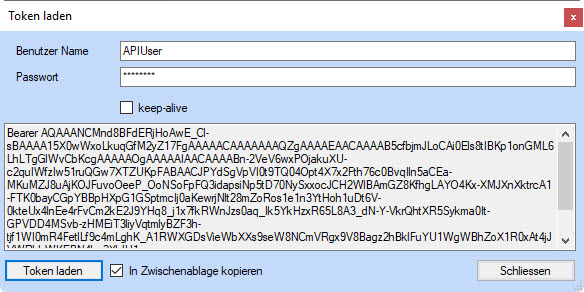
Figure 2: Get access token
Swagger page
Start the Swagger page via link [Start Swagger page], after loading the token for the given interface user.
Apply the token in the text field (top - right).

Figure 3: Swagger interface