
Activate Topal REST API
The REST API needs to be activated, in order to interacting with Topal Server via REST API.
Please follow the described steps.
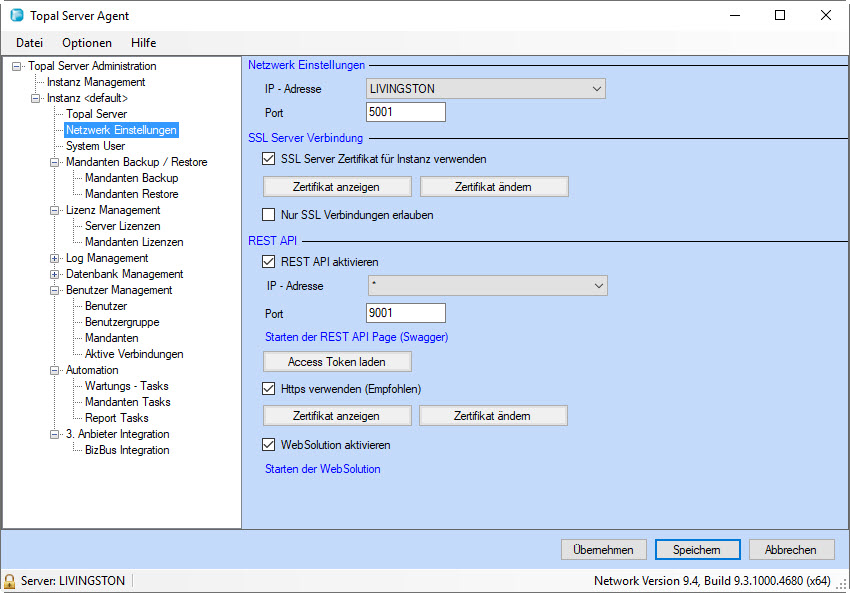
Figure 1: Topal Server Agent
REST API
The settings in this section (Figure 1) refer to the configuration of the REST API host respectively the port and access token.
Topal proviodes a self hosted REST Server. The REST API needs to be activated, prior to be used.
Activate the REST API by enabling the checkbox [REST API aktivation].
Activate the REST API by enabling the checkbox [REST API aktivation].
1) Activate REST API
2) IP address, select * (Asteriks)
2) Configure Port (z.B. 9001)
3) Aktivate Https if required
4) Add certificates (Topal Server certificate) to communicate Secure via HTTPS.